|
 |
- Compare text files, source code, web pages.
- Compare entire folders, side-by-side.
- Resolve, validate, merge file differences visually.
- In-place editing, dynamic re-comparison.
- Flexible user interface, many customization options.
- For Windows 11, 10, 8, 7, Vista, XP, Windows Server 2025, 2022, 2019, 2016, 2012, 2008, 2003 (32/64-bit).
- Only US $39.95 for 1 license. Instant online delivery.
- Try the fully functional trial for FREE.
|
|
| |
| |
Key Features and Benefits |
| Compare and Merge is the Windows file compare utility for detecting and merging differences between text files and folders, compare source code, compare program output, etc. |
| |
Easy to Use: Compare and Merge shows you the differences between files side-by-side and makes it easy to resolve these differences. Source code, output files, HTML, XML, etc. |
| |
| Source Code Review: Compare source code to older versions and identify what has changed. C++, Visual Basic, Perl, PHP, Delphi, etc. |
| |
| Merge Code: Merge your changes and those of your co-workers into one master copy. Select and click to merge a single line or an entire section of text. Unlimited undo/redo. |
| |
| Folder Comparison: Analyze file differences for entire folder branches. |
| |
| Complete Feature List... |
| |
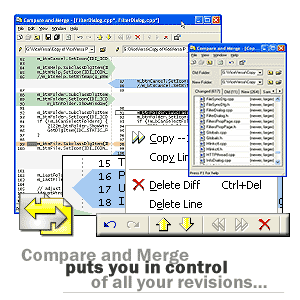
| Finally Compare and Merge puts you in control of your revisions |
|
|
|
| |
|
| |
|
| |
|
| |
|
|
| |
|
| |
|
| |
|
| |
Some powerful Compare And Merge features:
|
| |
-
Compare files visually side-by-side
-
Compare folders
-
Compare over the network
-
NEW Highlights differences within lines
-
Summary bar gives quick feedback of all differences
-
NEW Works like a text editor, you can fully edit text while comparing, with dynamic refreshing
-
Merging is very easy with select and click or drag-and-drop
-
NEW Multi-level undo/redo, also when merging folders
-
Print comparison results
|
-
Export comparison results to HTML
-
Supports files with Unix and Mac line endings
-
Integrates with version control systems
-
Command-line support
-
NEW Can be used directly from the Explorer's context menu
-
Many customization options, fonts, colors, comparison algorithm
-
Handy keyboard shortcuts
-
Easy to install and uninstall , small program footprint
-
For Windows 11, 10, 8, 7, Vista, XP, Windows Server 2025, 2022, 2019, 2016, 2012, 2008, 2003
|
|
| | |